
Genie 4 is a “world model” under research at Google that can generate simulated scenes users can interact with in real time. According to Google’s introduction on 27 October 2026, users can use everyday language to move the camera, change the weather or introduce characters. The scene also generates ambient sounds, music and interactive dialogue as it unfolds.
For beginners, the capability to understand is that you can request changes while a scene is unfolding. This offers a new way to develop visual ideas and explore scenarios. It also raises a question about interpretation: how much should we trust a simulation that looks very realistic?
What does “world model” mean here?
You can start by thinking of it as AI that generates a scene and continues it in response to your actions. Google explains that Genie 4 combines capabilities from the Gemini family: Gemini Omni helps present realistic appearances and behaviour, while other Gemini models provide reasoning capabilities to help maintain the simulation’s coherence.
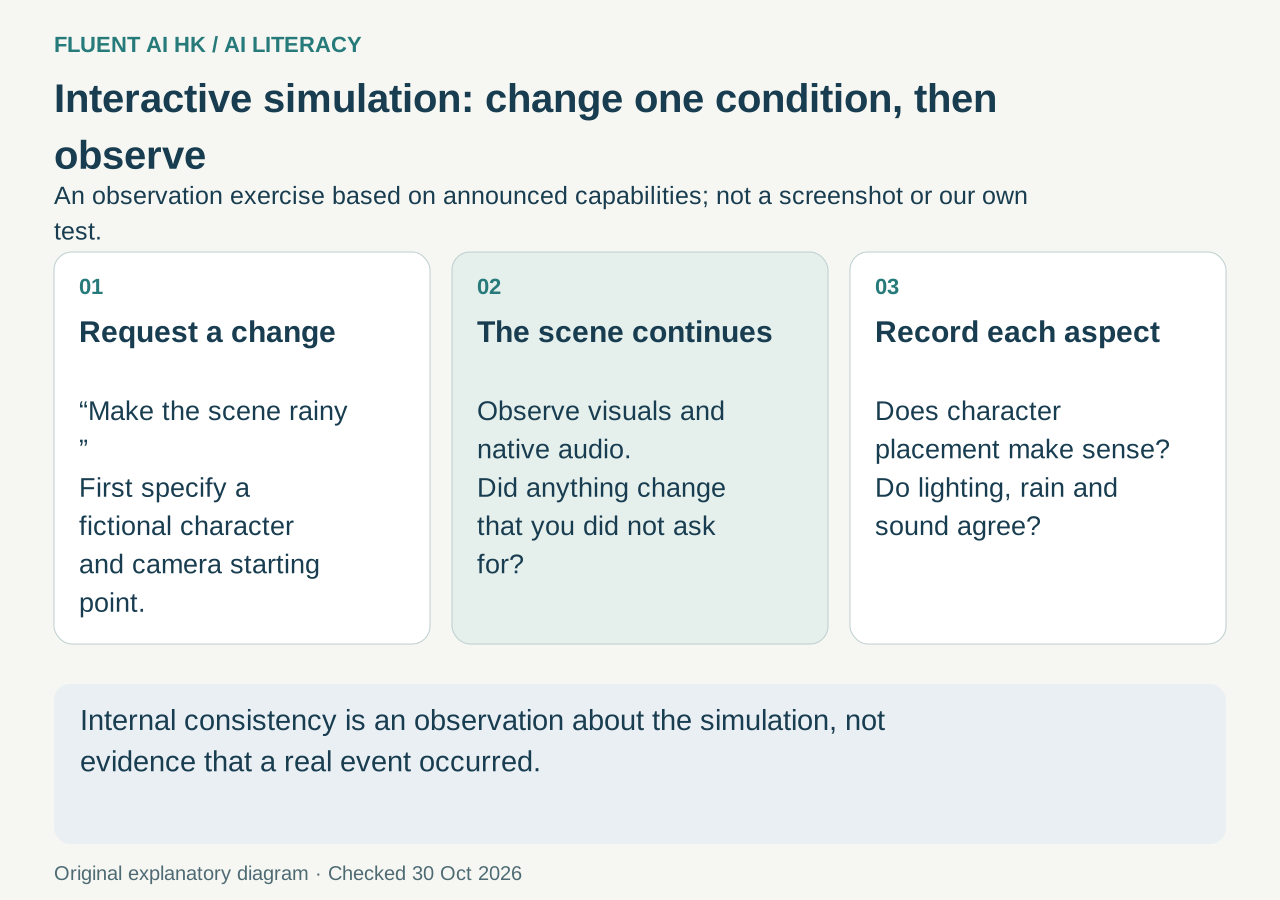
“Coherence” can be understood through everyday questions: after the camera turns, does the character’s position make sense? When the weather changes, do the lighting and sound match? These are things readers can observe, but the original announcement does not provide test results for each of them.
When assessing a simulation, separate two questions: is the scene internally consistent, and does it correspond to reality? Even if a simulation looks plausible, that does not establish that an event actually happened or that an action would necessarily produce the same result in the real world.
Three possible uses to explore
The following are proposed applications based on the announced capabilities, not hands-on tests conducted for this article.
Discussing shots before filming. A production team could explore how the same scene might look with different camera positions and weather conditions to discuss mood and storytelling. A necessary starting point is to specify the scene, characters and elements to change. Simulated visuals are also insufficient to replace an on-site location visit.
Exploring concepts for game environments. Tests could be designed to introduce characters or change the environment and observe how the scene continues. However, the ability to generate interactive scenes does not establish that they can be exported as ready-to-use game assets. This article does not interpret the announced capabilities as supporting direct export of game assets.
Observation exercises in the classroom. Teachers could design an activity to “change only the weather and keep other conditions as stable as possible”, asking students to record changes in the visuals and sound. The purpose is to practise observation and questioning. Explanations of actual weather or physical laws would still need to be checked against the relevant teaching materials.
Google’s original announcement mentions application areas including filmmaking, journalism, gaming and manufacturing, but it does not set out complete workflows for each industry. An introduction to possible applications should not be treated as verified evidence of workplace results.
Getting started at work: first define what you want to check
Consider a fictional promotional video for an event, with the aim of comparing the opening mood in sunny and rainy weather. Even without access to the tool, you can prepare the following test plan:
- Write down the fixed conditions: the same fictional square, the same character and the same starting camera position.
- Change one thing at a time: compare the weather first, then run a separate test of camera movement so you can identify which change caused a difference.
- Record the results: did the character change for no apparent reason? Did the sound match? Did anything appear that you had not requested?
- Compare the results with the work’s requirements: if the aim is to discuss mood, assess whether the simulation helps the team express its ideas. If real locations or products are involved, check each detail against official information.
This is a checking method designed by the editors, not a tutorial on the Genie 4 interface. It also does not guarantee that the tool can preserve every fixed condition exactly.
A short exercise: find evidence for three claims
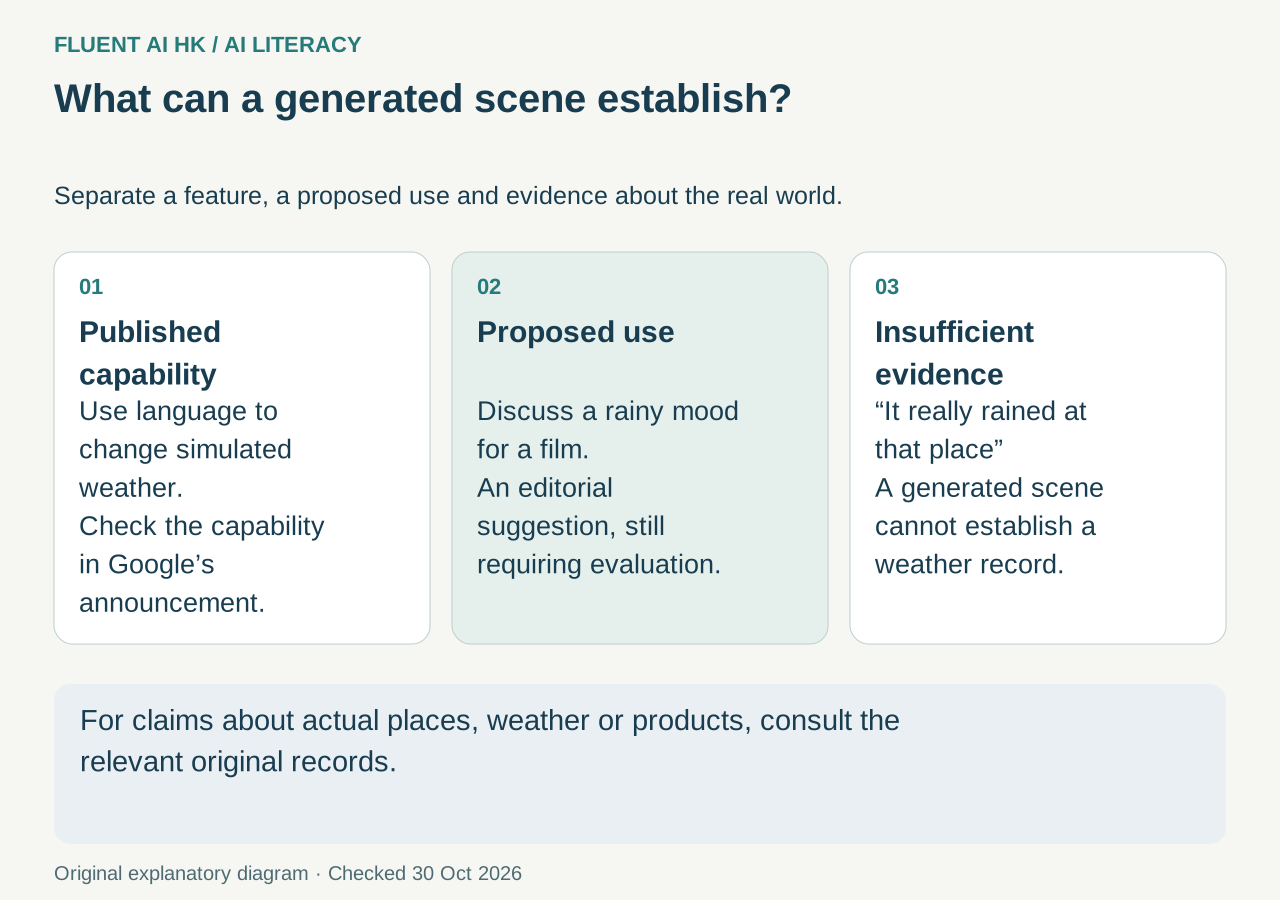
Try classifying these claims as “explicitly stated in the original source”, “an inferred application” or “insufficient evidence”:
- Text can be used to change the weather in a scene.
- It could be used to discuss the mood of a promotional video.
- A generated street scene can prove that it rained in that location.
The first claim is supported by the original source. The second is a proposed application based on the capabilities and requires practical assessment. The third lacks evidence. Generated rainy scenery and rain sounds cannot, by themselves, establish a location’s weather history. This classification also applies when reading introductions to other AI tools.
Check access conditions before use
In the access arrangements in its announcement, Google says it has begun rolling out Genie 4 to a limited group of trusted testers. It will later be available to Google AI Ultra subscribers through Project Genie and to early access partners in the Gemini API and AI Studio.
“Coming soon” does not establish that all relevant accounts can use it now. The announcement also does not specify availability in Hong Kong, usage limits or detailed operating steps. Before adopting it, confirm your access eligibility, then assess its suitability with a small task whose results are easy to check.
This article was checked on 30 October 2026 and covers concepts and evidence assessment. It is not a guide to enabling access for Hong Kong accounts. Without verified information on Hong Kong availability, usage limits or the interface, it makes no promises or provides button-by-button instructions on those matters. To build habits for choosing tools and checking results step by step, start with the free 12-chapter AI course.
Join the discussion
CommunitySign in to share an idea or question. Comments appear after review.
Sign in to comment